

Burn media files from your computer to DVD, CD, and Blu-ray. Play high definition and SD video and audio files format. It converts and edits audio, video and image files.
Nero Standard 2019 is the masterpiece for your digital life. Its now even easier to manage, edit, burn, convert, stream, and play back videos, photos, and music. The new Nero QuickStart gives you 1-click access to the ten most common tasks for bringing your multimedia files to life, from MP3 to smartphone videos. Countless stunning effects, playing video files with embedded subtitles, express editing, and the new, direct export of individual sections from long videos ensure maximum multimedia enjoyment in the blink of an eye.
Thanks to the innovative Gracenote integration, you can now tag your music with matching album art on the latest iOS and Android mobile devices even when you're on the go. With password protection and 256-bit encryption, the latest SecurDisc 4.0 technology ensures maximum data security for your CDs and DVDs.
Additional benefits:
- Proven copying and burning technology for CDs, DVDs, and Blu-ray Discs*
- Playback of photos, videos, music, and slide shows
- Easy importing of your own movies and videos
- Versatile disc-ripping functions*
- Fuss-free import of videos, audio files, and audio CDs and 1-click transfer to virtually all mobile devices*
- Automatic sound enhancement for your audio CD tracks
- Easy-to-organize and straightforward retrieval of music, videos, and other files in the universal media center Nero MediaHome
- Sorting and finding files by recording location, time, faces, and keywords
- Syncing of photos and videos between PC and Android or iOS smartphones and tablets with the free Nero MediaHome WiFi Sync App
- Free Nero Streaming Player App for smartphones and tablets (iOS and Android) for streaming and playback on Xbox, PlayStation, smart TVs, and other players in your home network
- Nero KnowHow App as an interactive learning guide with amazing tips and tricks
- Nero MediaHome demo view to get you started quickly
- Easily design beautiful CD and DVD covers with Nero CoverDesignerNero 9 is a platform for recording disc that includes a lot of tools.
Most are to manage or modify media files, as the player with music and video libraries, a manager of photographs, an audio encoder and audio editor, software for presentations of photos and videos plus an editor and covers.
All these tools can be ruled out at the facility where the only thing that interests us is the writer Nero 9.
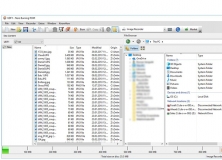
The interface of this application in its structure remains the same as other versions.
All applications and tools are organized by menus and functions on the Smart Start wizard, so if we decided to install the full suite of Nero 9 can easily absorb all its possibilities.
* Features quick and easy backup, extraction, recording and automatic backup.
* Make backup copies of files on CD, DVD and Blu-ray discs
* Create DVD movies with professional-quality menus three-dimensional integrated.
* Copy, record, share, upload and create music mixes like a DJ.
* Convert music, photos and DVDs for playback on your iPod and other portable devices
* Load in a fast videos and photos in My Nero, YouTube and MySpace
* See the live television broadcast, recording, place it on pause and customize.
* Play AVCHD content and other HD formats
His Nero StartSmart control center shows a redesigned user interface while maintaining the ability to lead the user to exactly the place you want to go, either to edit your photos, create a label or play a video.
Precisely Nero Show Time, the media player Nero offers a new design and new features can stand out among a random play mode.
Integration with GraceNote, the company responsible for identifying and placing names to the songs on the CDs, allows a new display of information for the titles and artists, as well as the cover of the discs.
Another of the novelties is the strong commitment of Nero for IPTV for which Nero Live, formerly called Nero Home, integrates with Windows Media Center and therefore will have access to and control of the tuner to have connected to the PC, up to four. Nero Live Gadget is the direct application with which the user can now watch television directly from the sidebar of Windows itself. In addition, the Ad Spotted is an ideal tool to remove the advertising of videos that the user has recorded for television.












Comments (41)
Facebook comments